
 All vikis
Phone and Social Media
Jason and Lucia's phones carry Grand Theft Auto 6's parody of 2020s life: a working social media feed that points to real events in the world, Snapmatic, Buckme banking, the RydeMe ride-hailing app, Scooter Bros to call your own car, What Up texting and a fitness app, alongside more satirical TV adverts than ever. Cash, bank money and loot are kept apart.
The phone apps of Grand Theft Auto 6 already have names: in TGG's Aug 27, 2026 video, after three hours watching Rob Nelson play at Rockstar North, he lists Buckme, a Cash App parody that is the banking app; Ride Me, which calls a car to you the way Uber does; Scooter Bros, which brings your personal vehicle to you, something Grand Theft Auto V's story mode never let you do; and What Up, for texting other characters and your partner. A fitness app tells you when to work out. Above all of them sits a working social media feed: you scroll what the people of Leonida are posting and where, drive to the spot, and may find the event still unfolding. Snapmatic, the camera and social app from Grand Theft Auto V, returns too. Since the game came out on Nov 19, 2026, the guides add one app the previews never showed: Vice City Real Estate, where garages are bought once the Chapter 2 mission Daily Driver is done (PowerPyx, GTABase, read Nov 20, 2026); every garage it sells is on Garage Locations and Prices.
The apps, one by one
What each app does, as far as Rockstar and the previews have shown before launch:
| App | What it does | More on it |
|---|---|---|
| Social feed | What Leonida's people post and where; some posts lead to events still going on | Below |
| Snapmatic | The camera and social app, back from Grand Theft Auto V | Below |
| Car scanner | A parked car's value, its security (electronic locks, GPS trackers) and what registering it would cost | Cars and Driving |
| RydeMe (heard as "Ride Me" before launch) | Calls a car to you and works as fast travel (How to Fast Travel); you can talk, change the station or scroll the feed on the way; bus stops and taxis are there too | Map |
| Scooter Bros | Delivers your personal vehicle to where you are | Vehicles |
| Buckme | Holds your safe bank balance; cash is paid in at an ATM, not from the phone | Money |
| What Up | Texts with other characters and with your partner; ignoring your partner has a cost | Jason and Lucia's Relationship |
| Fitness | Tracks your gym work: strength raises health, the treadmill and similar raise stamina | Activities and Stats |
| Music | The radio on foot, through headphones or earbuds, and on-demand podcasts | Music and Radio |
The radio is the one app Rockstar itself has described in writing: Jason and Lucia can listen "in vehicles and on foot through newly introduced headphones and earbuds connected to their smartphones", and the game adds "a series of on-demand podcasts", its Oct 8, 2026 radio post says. The app names come from TGG's account of the preview; the rest from TGG, IGN and Game Informer, who saw the game played at Rockstar North.
Lurking, not posting
Rockstar's satire is "all present and correct", IGN found: people shout unhinged things in the street, a lawyer works out of a dumpster, and the television carries more darkly funny adverts than ever. Social media "returns in a big way", yet Jason and Lucia, a couple on the run, do not post: they lurk and doomscroll like everyone else.
Finding things to mock is not the hard part, Nelson told IGN, since "humans are human". Keeping the jokes relevant long after release is: memes, trends and politics age fast, so even slang got careful thought.
Lucia mentions Snapmatic in conversation in An Extended Look, Rockstar's Aug 27, 2026 gameplay film. It is the game's take on the photo apps of the 2020s, in a world whose satire, as the press read it, takes on influencer culture, police body cameras and Florida Man stories.
The streamer on Shore Drive
The feed's world spills into the street in TGG's Aug 28, 2026 breakdown video of the Extended Look: a live streamer who looks a lot like a well-known one rides in Lucia's car along Shore Drive while bystanders react around them, unscripted as far as TGG can tell, and the frozen frame shows a new police indicator: no cops on the minimap, but a red and blue light at the bottom of the screen marking the direction they are coming from. The same frame's minimap carries icons for a gym, a mod shop, a bar, a safehouse and a mission marker, and the streamer's chat holds the game's first Los Santos joke: "Come to Los Santos."
Television at home
At home you can switch on the TV and watch shows and adverts in the Grand Theft Auto style; gameranx singles out a grotesque burger advert. An advert in Trailer 2 brings back Phil Cassidy selling guns at Ammu-Nation, the character from Grand Theft Auto: Vice City.
Three kinds of money on screen
The top right corner of the screen shows up to three kinds of money: the bank balance, which is safe; cash, which you can lose when you die and possibly when you are arrested; and the loot in your duffel bag, which only a fence turns into money. Buckme cannot take cash in, TGG notes: you have to find an ATM.
Settings for streamers
The minimap is three-dimensional and hides itself at times on foot, but it can be set to stay on, or switched off in favor of a compass. TGG asked Rockstar about a copyright-free music option for people streaming or recording the game, and was shown where it sits in the menu.
Sources
- GTA 6: How to Fast Travel, PowerPyx, Nov 18, 2026 (read Nov 20, 2026), for the RydeMe spelling in the released game
- Grand Theft Auto 6, Wikipedia (Snapmatic, and what the world parodies)
- GTAVI: An exclusive deep dive into the video game of the decade, Dazed, Aug 26, 2026
- GTA 6 All Garage Locations, PowerPyx, Nov 18, 2026 (the Vice City Real Estate app, read Nov 20, 2026)
- GTA 6 Properties & Garages: Full List & Guide, GTABase (the app and Daily Driver, read Nov 20, 2026)
- The Music of Grand Theft Auto VI: In-Game Radio Stations, Rockstar Games, Oct 8, 2026
- I Saw 3 Hours of GTA 6 at Rockstar North - First Impressions (Exclusive Info), TGG, Aug 27, 2026 (video)
- We've Seen GTA 6 Gameplay IRL - The First Preview, IGN, Aug 28, 2026 (video)
- GTA 6: Gameplay DETAILS WE FOUND, gameranx, Aug 27, 2026 (video)
- GTA 6: Every New Gameplay Feature & Mechanic YOU MISSED, TGG, Aug 28, 2026 (video)
Moments
I Saw 3 Hours of GTA 6 at Rockstar North - First Impressions (Exclusive Info)
TGG
We’ve Seen GTA 6 Gameplay IRL - The First Preview
IGN
GTA 6: Gameplay DETAILS WE FOUND
gameranx
GTA 6: Every New Gameplay Feature & Mechanic YOU MISSED
TGG
Photos
Related
-
-
-
-
-
-
-
-
See also
-
-
-
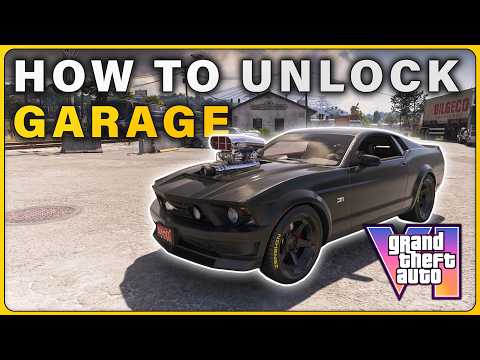 Garage Locations and PricesGrand Theft Auto 6 sells eight garages in the Vice City Real Estate app, from Mitchell Auto Center at $4,000 to Atlantic Court Garage at $40,000, $160,000 for all eight, one car each; four more come free with the story and three with editions or GTA+. Every garage with its price, place, spaces and unlock, as PowerPyx and GTABase list them on Nov 20, 2026.
-
-
 How to Fast TravelTo fast travel in Grand Theft Auto 6, call Paradise Taxi from your phone's contacts (from the mission Gone Fishing) or book a RydeMe ride, set a marker on the map, then hold L2 or LT to talk to the driver and press Triangle or Y to pay $100 and skip the ride. There is no map teleport. Trains and two ferry terminals help too, a bed skips the clock, and Joey or the Scooter Bros app brings your car.
-